Redeem code app - Quiz & Earn
Gestión Empresarial 3000Trivia
4.9570.00 Reviews
- Version
- 305
- Installs
- 1.00M
- Age Rating
- Everyone
Screenshots
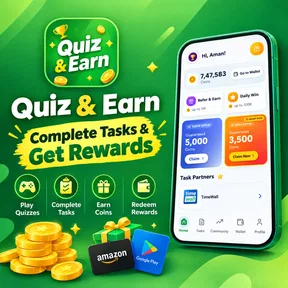
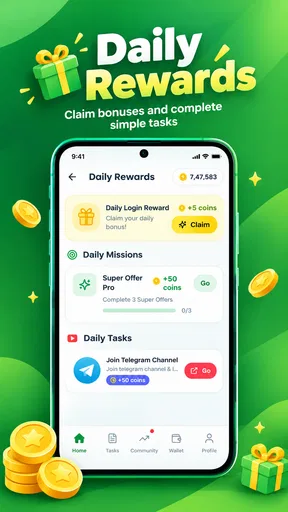
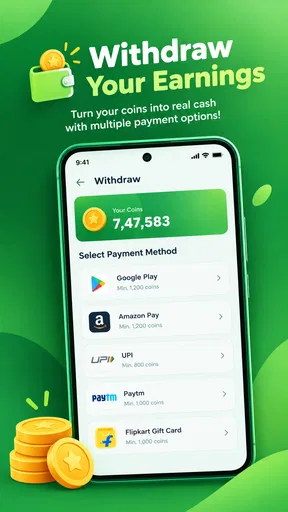
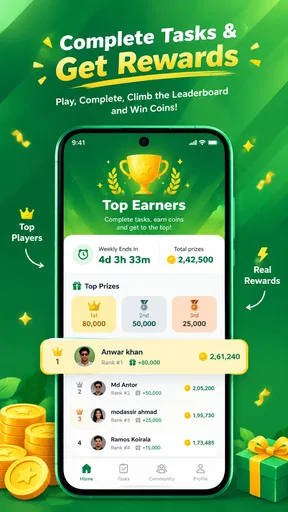
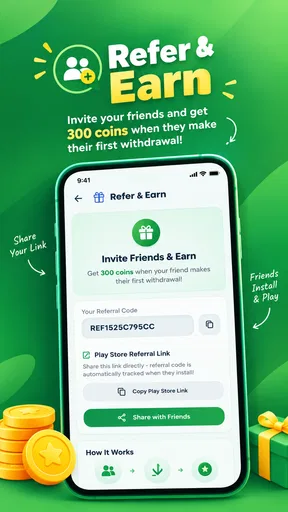
Our Review of Redeem code app - Quiz & Earn
 Analysis by Appyee
I approached Redeem code app - Quiz & Earn as a trivia game first and a reward-focused app second. That distinction matters. The appeal is obvious: answer questions, take part in tournaments, complete tasks, and work toward gift codes without paying to download it. In practice, the experience is most suitable for people who enjoy short quiz sessions and can tolerate a little patience around reward progress. It is not the same as opening a traditional trivia game for a completely self-contained challenge.
The game is developed by Gestión Empresarial 3000 and is listed for everyone, which makes it easy to consider for casual household use. Its store presence is substantial, with more than a million installs and an average rating of 4.9 from roughly 218 thousand ratings. Those figures suggest that the basic idea connects with a large audience, but they should not replace your own expectations: a high rating does not guarantee that every quiz, task, or redemption step will feel equally smooth on every phone.
Getting past the points where players usually hesitate
I find that the main hesitation is whether the reward goal will make the quizzes feel worthwhile even when progress takes time. In this section, I’d focus on setting a personal limit for how much effort a session deserves, so the pursuit stays enjoyable rather than turning every answer into a calculation. That makes it easier to decide what kind of routine feels sustainable before looking at recovery steps.
The first decision is understanding what kind of game this is
Many trivia apps focus almost entirely on knowledge, speed, or competition. This one adds an earning angle, so the opening experience can feel less direct if you expect an immediate stream of conventional quiz rounds. I found it more useful to treat the app as a routine: answer questions when I have a few spare minutes, check the available activities, and keep an eye on progress rather than assuming every action produces an instant result.
That mindset prevents one common disappointment. A player who installs it only to obtain a gift code as quickly as possible may judge every question by its reward value. A player who actually likes quizzes has a second reason to return, even when progress toward a code is gradual. The strongest fit is someone who values both the trivia and the reward goal, not someone looking for a guaranteed shortcut.
Why a task may seem incomplete
When an activity does not appear to register, the cause is not always a wrong answer. The game may require the full activity flow to finish before progress is reflected, so leaving a screen too early can create uncertainty. My practical habit is to complete one task at a time, remain in the app until the result or completion state is visible, and then revisit the relevant progress area before starting another activity.
This is especially useful during tournaments. A tournament is easier to follow when I note what I have just completed instead of rapidly switching between quiz screens, task areas, and redemption pages. The extra few seconds reduce the chance of confusing a completed round with a pending one. It also makes it easier to describe the issue accurately if help is needed later.
Redemption needs realistic expectations
The phrase “real gift codes” naturally raises the most questions, but the sensible approach is to view redemption as the final stage of accumulated participation, not as an automatic result of installing the game. I would first learn how the app presents the requirement, then work toward it through the activities that I genuinely enjoy. Keeping a record of the visible progress can help distinguish a slow process from a technical problem.
I would also avoid repeatedly tapping a redemption control when the screen appears slow. Repeated attempts rarely make a process clearer and can leave the player unsure which action was accepted. Wait for the current screen to settle, check whether the progress changed, and only then try again. This is ordinary troubleshooting, but it is particularly valuable in an app where the reward stage matters as much as the quiz itself.
What to check immediately after installation
The game supports Android 7.0 and later, so compatibility begins with checking the phone’s operating system rather than assuming every older device will behave identically. It is also listed as free, which removes the download-price barrier, but “free” should not be interpreted as “every part of the experience will be instant.” The time you spend answering questions is the main commitment.
After installing, I recommend opening the app on a stable connection and letting the initial screens finish loading before judging performance. If the quiz content or task area looks incomplete, closing and reopening the game once is more useful than repeatedly navigating back and forth. Keeping some free storage and updating the app when an update is offered are also sensible basics, especially because the current version is 305.
A simple setup routine that avoids confusion
My preferred first session is deliberately unhurried. I open the game, read the available instructions, identify how quiz answers and tasks are marked as complete, and only then decide which activity to try. I do not begin by chasing a redemption option that I have not yet understood. This gives me a reference point for later: if progress changes after a particular round, I know what action caused it.
It is worth checking the device clock and connection as well. Anything involving online loading can look like a game error when the phone has temporarily lost connectivity or the system time is behaving oddly. I would not change advanced phone settings immediately, though. Start with the basics: reconnect, reopen the app, and repeat the smallest possible action. That approach protects your time and avoids creating a second problem while trying to solve the first.
How I organize a useful daily session
The app works better for me in short, repeatable sessions than in one long push. A practical routine is to choose a quiet moment, complete a quiz or task without multitasking, confirm that the result is visible, and stop before the experience becomes rushed. This is not just about comfort. Short sessions make it easier to identify whether a missing reward is connected with one activity or with the app more broadly.
Another useful habit is separating experimentation from progress. During the first few visits, I would test the different parts of the game carefully. Once I understand the flow, I would stick with the activities that feel clear and enjoyable. Constantly switching between options can make the reward path harder to track, while a consistent routine gives a much better sense of how the app fits into your day.
Recovering when progress or loading feels stuck
When progress or loading seems stuck, I’d separate a temporary delay from a repeated problem before changing anything on the phone. This section covers a calm way to check what happened and preserve your current state, while also helping you notice whether the issue follows one activity or affects the whole game. With that distinction in mind, the next step is choosing the least disruptive fix.
Start with the least disruptive fix
If a quiz screen freezes or a completed action does not appear, I would first wait briefly, check the connection, and return to the main screen. If that does not help, I would fully close and reopen the game. This sequence is safer than immediately clearing data or reinstalling, because more aggressive steps can remove local state or force you to repeat setup work.
After reopening, I would check the same activity rather than starting several new ones. If the earlier action is now recorded, the delay was probably temporary. If it is still missing, I would note the exact sequence: which area I opened, what I completed, and what appeared afterward. That small record is far more useful than reporting only that “the reward did not work.”
Do not confuse a wrong answer with a technical failure
Trivia games naturally include incorrect answers, and a missed question is not evidence that the app failed. I pay attention to whether the game responds normally, shows the expected result, and lets me continue. A genuine loading or tracking concern looks different: the screen may remain unchanged, the next step may never become available, or a completed activity may not be reflected after returning to the relevant area.
This distinction helps keep expectations fair. If the quiz marks an answer as incorrect and continues normally, the useful response is to learn from the question or move on. If the interface does not respond at all, then connection and restart checks make sense. Treating every disappointing outcome as a bug will make the experience feel more frustrating than it needs to be.
When a redemption attempt needs a pause
Reward-related screens deserve extra patience because players are naturally tempted to repeat an action. I would avoid submitting the same request several times, especially if the app is still loading. Instead, I would return to the progress view, confirm whether the requirement appears satisfied, and then try once more only if the interface clearly invites it.
If the game offers a way to review account or reward details, I would read those screens carefully rather than relying on memory. Small distinctions between earned progress, a completed task, and a redeemable balance can matter. The best workflow is to take a screenshot for personal reference when appropriate, without sharing private information publicly, and to keep any support message concise and specific.
When reinstalling is reasonable
Reinstallation should be a later option, not the first reaction. I would consider it only after restarting the phone, checking the connection, reopening the app, and confirming that the issue affects more than one attempt. Before doing so, I would make sure I understand how I can return to the same account or game state, since repeating progress would be a poor trade-off for a problem that might have been temporary.
The same caution applies to clearing app storage. That step can remove locally saved information, so it is not a casual troubleshooting button. If the game launches and most activities work, I would preserve the current installation and isolate the problem instead. A narrow fix is usually better than resetting everything.
When the phone or connection is the real source
Sometimes the app is blamed for conditions outside it. A weak connection, aggressive battery management, limited storage, or an older device under heavy load can interrupt a quiz or delay a result. I would test the game after closing other demanding apps and, if possible, on a more reliable connection. If the same problem appears only on one network or only when the phone is nearly full, the diagnosis changes.
Battery-saving settings can also interfere with apps that need to remain active while a task finishes. I would not disable every protection permanently, but I would check whether the phone is putting the game to sleep in the middle of a session. Likewise, if the display locks while an activity is running, the safest habit is to use the game when I can keep an eye on it instead of leaving it unattended.
Who should use it and who should skip it
I would recommend this trivia game to someone who enjoys answering general questions, likes the motivation of working toward gift codes, and is comfortable building progress over repeated visits. It can suit a commute, a short break, or a quiet evening when I want something more purposeful than scrolling. The free entry and everyone rating make it approachable for a broad audience.
I would skip it if my only goal were immediate, predictable compensation. I would also choose a conventional trivia title instead if I wanted deep question statistics, a purely competitive leaderboard experience, or a game that never asks me to think about tasks and redemption. Those alternatives may be better for a player who sees rewards as a distraction rather than motivation.
How it compares with ordinary trivia games
The main difference is the loop. A standard quiz game usually gives me a clear finish line for each round: answer, receive a score, and play again. Here, the individual question is part of a broader path involving tasks, tournaments, and gift-code progress. That makes the experience more motivating for some people, but less immediately satisfying for others.
The trade-off is therefore easy to describe. Traditional trivia is usually better when I want clean competition or instant feedback. This game is more interesting when a longer-term reward objective helps me return. Its success depends on whether that extra layer feels encouraging rather than like administrative work. I would test it for a few sessions before deciding which side of that line it falls on for me.
My practical verdict after using the concept as intended
Redeem code app - Quiz & Earn has a clear audience: casual players who want trivia to lead toward a tangible reward goal. Its combination of quizzes, tasks, tournaments, and gift-code redemption gives it more structure than a basic question-and-answer app, while the free price keeps the initial decision simple. The strong average rating and broad install base also show that the format has found plenty of interested players.
My recommendation comes with one condition: use it patiently and methodically. Finish activities fully, confirm progress before jumping elsewhere, and troubleshoot from the connection and restart basics before taking drastic steps. Those habits address the most likely friction without inventing promises about speed or certainty. Think of the reward as a reason to keep playing, not a substitute for enjoying the trivia.
For me, that makes the game worth trying when I have a few spare minutes and genuinely like quiz questions. I would keep a conventional trivia app available for focused knowledge practice, and I would not install this one expecting an effortless shortcut. If your expectations match its quiz-and-earn design, Gestión Empresarial 3000’s game offers an approachable way to turn small pockets of free time into a structured trivia routine.
Verdict
Strengths of Redeem code app - Quiz & Earn
- Short quizzes make it easy to earn rewards in spare moments.
- Simple interface is suitable for first-time users.
- Multiple quiz categories help keep the experience varied.
- Reward progress is clearly displayed after each activity.
- Lightweight design should work well on many older devices.
Limitations of Redeem code app - Quiz & Earn
- Reward availability may vary by country or region.
- Some rewards can require a high redemption threshold.
- Quiz questions may become repetitive after extended use.
- Earnings are likely modest and should not be treated as income.
- An internet connection may be needed for quizzes and redemptions.
Similar Picks in This Category
View All
Millionaire 2026 Quiz & Trivia
Quiz & Trivia Games by Submarine Apps4.5

Brain Test 2: Tricky Stories
Unico Studio4.7

Trivia Crack: Brain Quiz Games
etermax4.4

QuizzLand. Quiz & Trivia game
Quiz & Trivia Games by Mno Go Apps4.8

Brain Test: Tricky Puzzles
Unico Studio4.7

Logo Quiz
bubble quiz games4.5
Frequently Asked Questions
What is Redeem Code App - Quiz & Earn?
Redeem Code App - Quiz & Earn is a quiz-based rewards application that lets users answer questions and potentially collect points, coins, or redeemable rewards. Its main appeal is the combination of casual trivia and earning opportunities. Before downloading, users should review the current reward terms, supported countries, available redemption methods, and whether the app’s earning system matches their expectations.
How do you earn rewards in Redeem Code App - Quiz & Earn?
Rewards are generally earned by completing quizzes, answering questions correctly, and possibly participating in additional activities offered inside the app. The number of points awarded may vary depending on the quiz, promotion, or account status. Read the in-app instructions carefully, because some tasks may have limits, expiration dates, minimum balances, or other conditions before rewards can be redeemed.
Can rewards from the app really be redeemed?
The app may provide redemption options after users reach the required balance, but availability can depend on location, reward inventory, account verification, and the specific terms shown in the application. Redemption is not necessarily instant, and processing times may vary. Check the withdrawal threshold, supported gift cards or payment services, and user eligibility before spending significant time collecting points.
Is Redeem Code App - Quiz & Earn free to download and use?
The application may be free to install, although it can include advertisements, optional purchases, or features that require users to watch promotional content. A free download does not guarantee unlimited access or guaranteed earnings. Review the app-store listing and privacy information for details about advertising, permissions, subscriptions, and possible data charges, especially when using mobile internet.
Is Redeem Code App - Quiz & Earn safe for my device and personal information?
Users should download the app only from an official Google Play or Apple App Store listing and verify the developer name, ratings, update history, and requested permissions. Avoid sharing unnecessary sensitive information, passwords, or payment details. As with any rewards app, read the privacy policy and terms carefully, and stop using it if it requests suspicious access or makes unrealistic earning promises.
Play our best games!


